GitHub Actions
In this tutorial, we'll create a project using GitHub Actions as the automation system and deploybot to manage deploys.
When code is pushed to GitHub in a Pull Request or merged, GitHub Actions will run a build/test workflow to run unit tests and build a Go binary. Then we'll use deploybot to trigger a GitHub Actions deploy workflow, step through deploy environments, or auto-deploy after tests pass on a branch.
Requirements
- GitHub Actions enabled for a repository or organization
- Deploybot installed on the repository or organization
Login to Github. Navigate to your organization's settings, find GitHub Actions settings, and enable GitHub actions and workflows for one or more repositories.
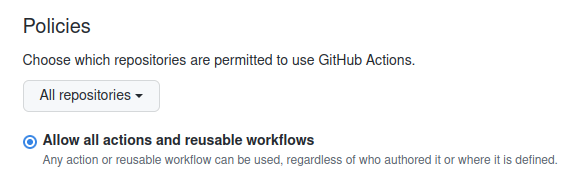
Alternately, configure a specific personal or organization's repository to allow GitHub Actions.
GitHub
Create a GitHub repository for your project. You may wish to git clone or download deploybot-app/github-actions-example to get started.
git clone git@github.com:deploybot-app/github-actions-example.git
A project may be anything you wish to deploy in some way. If you need some starter code, the example shows a tiny Go program and test.
Tip
Be sure the repository or organization enables GitHub Actions.
Build / Test
Project build or test workflows run language-specific unit tests, build binaries or container images, publish artifacts, upload packages, or push container images to a registry. GitHub Actions triggers these workflows in response to events like pushing code or updating a pull.
Info
If your project already defines build or test workflows under .github/workflows/, skip this section.
Create a new workflow for running a build or test. If you're using the example repo, we just run some Go tests.
# .github/workflows/test.yaml
name: test
on:
  push:
    branches:
      - main
  pull_request:
jobs:
  build:
    name: go
    runs-on: ubuntu-latest
    strategy:
      fail-fast: false
      matrix:
        go: ['1.17', '1.18']
    steps:
      - name: setup
        uses: actions/setup-go@v3
        with:
          go-version: ${{matrix.go}}

      - name: checkout
        uses: actions/checkout@v3

      - name: test
        run: go test .
Deployment
A deployment is a process for rolling out a change to a target environment. A deploy might update a binary, apply Kubernetes manifests, sync files to a CDN, upload a package, tag a release, ring a bell, or anything you can define in a GitHub Actions workflow.
Create a new workflow for performing a deployment. If you're using the example repo, we just print a message.
# .github/workflows/deploy.yaml
name: deploy
on:
  deployment
permissions:
  contents: read
  deployments: write
jobs:
  deploy:
    name: deploy
    runs-on: ubuntu-latest
    env:
      SHA: ${{ github.event.deployment.sha }}
      ENVIRONMENT: ${{ github.event.deployment.environment }}
      DEPLOY_ID: ${{ github.event.deployment.id}}
    steps:
      - name: In-progress Status
        uses: chrnorm/deployment-status@v2
        with:
          token: '${{ github.token }}'
          state: 'in_progress'
          deployment-id: ${{env.DEPLOY_ID}}

      - name: "Checkout"
        uses: "actions/checkout@v3"

      - name: "Deploy ${{env.ENVIRONMENT}}"
        run: |
          echo "Deploying ${SHA} to ${ENVIRONMENT} environment"
          # Perform deploy (whatever that means to you) here

      - name: Success Status
        if: success()
        uses: chrnorm/deployment-status@v2
        with:
          token: '${{ github.token }}'
          state: 'success'
          deployment-id: ${{env.DEPLOY_ID}}

      - name: Failure Status
        if: failure()
        uses: chrnorm/deployment-status@v2
        with:
          token: '${{ github.token }}'
          state: 'failure'
          deployment-id: ${{env.DEPLOY_ID}}
Let's look at the example in detail. The deploy workflow will be triggered when a GitHub Deployment is created.
on:
  deployment
...
Since the workflow needs to be able to update the GitHub Deployment status, assign explicit permissions to the GITHUB_TOKEN.
...
permissions:
  contents: read
  deployments: write
...
Before the deploy work begins, set the GitHub Deployment status to in_progess.
...
jobs:
  deploy:
    name: deploy
    steps:
      - name: In-progress Status
        uses: chrnorm/deployment-status@v2
        with:
          token: '${{ github.token }}'
          state: 'in_progress'
          deployment-id: ${{env.DEPLOY_ID}}
      ...
Perform the work of checking out a commit and deploying to the given environment. GitHub Actions support many context variables that can be used in your deploy workflow. A few that are especially relevant to deployment events are shown:
${{ github.event.deployment.sha }}${{ github.event.deployment.environment }}${{ github.event.deployment.id }}${{ github.event.deployment.ref }}${{ github.event.deployment.task }}${{ github.event.deployment.payload }}${{ github.event.deployment.description }}
...
jobs:
  deploy:
    name: deploy
    runs-on: ubuntu-latest
    env:
      SHA: ${{ github.event.deployment.sha }}
      ENVIRONMENT: ${{ github.event.deployment.environment }}
      DEPLOY_ID: ${{ github.event.deployment.id}}
    steps:
      ...

      - name: "Checkout"
        uses: "actions/checkout@v3"

      - name: "Deploy ${{env.ENVIRONMENT}}"
        run: |
          echo "Deploying ${SHA} to ${ENVIRONMENT} environment"
          # Perform deploy (whatever that means to you) here
          ...
      ...
After the deploy work finishes (or exits), ensure the GitHub Deployment status is marked success or failure.
...
jobs:
  deploy:
    name: deploy
    steps:
      ...
      - name: Success Status
        if: success()
        uses: chrnorm/deployment-status@v2
        with:
          token: '${{ github.token }}'
          state: 'success'
          deployment-id: ${{env.DEPLOY_ID}}

      - name: Failure Status
        if: failure()
        uses: chrnorm/deployment-status@v2
        with:
          token: '${{ github.token }}'
          state: 'failure'
          deployment-id: ${{env.DEPLOY_ID}}
Deploybot
Add a deploybot configuration file to your project at .github/deploybot.yaml on the default branch. Define the GitHub Environments that should be deployable (up to 4).
# .github/deploybot.yaml
deployments:
- name: development
- name: staging
- name: production
Login to deploybot. Find your project among your personal repos or organization repos.
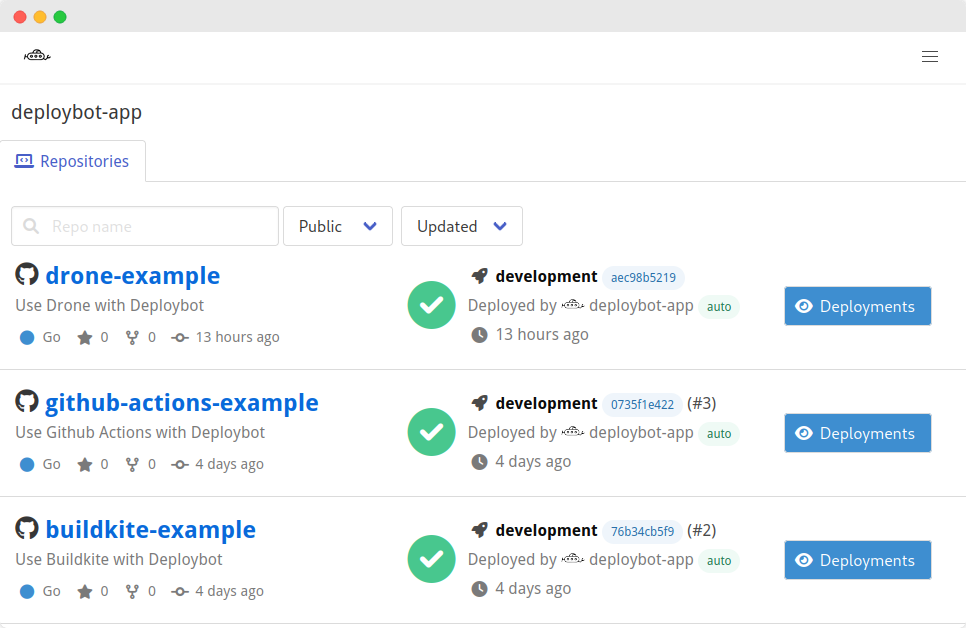
Manual Deploys
The commits timeline shows recent commits on the default or feature branches, while the deploy steps show deployable GitHub Environments.
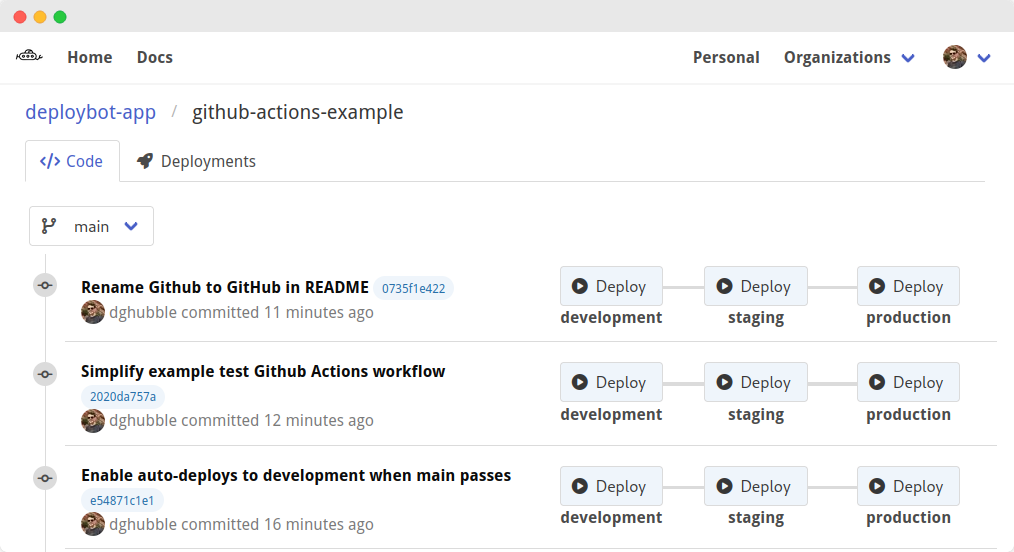
Use the Deploy buttons to create a GitHub Deployment of a commit to an environment. Each GitHub Deployment notifies GitHub that a deploy should be performed and triggers your GitHub Actions deploy workflow.
Automated Deploys
Deploybot can be configured to deploy to environments automatically.
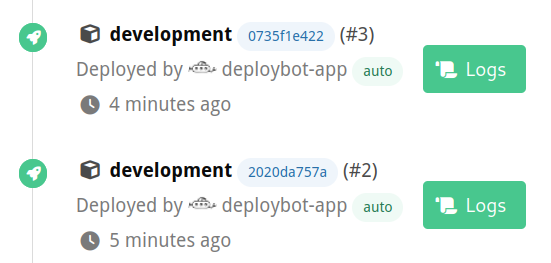
For example, set on_push: true to create a GitHub Deployment when a commit is pushed to the default branch, after it passes tests.
# .github/deploybot.yaml
deployments:
- name: development
  on_push: true

- name: production
  # still manual
Note
More advanced configuration settings are planned.
History
View recent deployment history across an organization or for an individual repository.